Spire.Doc is a professional Word .NET library specifically designed for developers to create, read, write, convert and print Word document files. Get free and professional technical support for Spire.Doc for .NET, Java, Android, C++, Python.

Wed Mar 13, 2024 8:50 am

Good afternoon.
I use the net 40 version 12.2.0 freespire.doc

When creating the TOC Table of Contents, I faced the problem that it is impossible to determine the font of the table of contents.
Please tell me how to do this?

I need to set the font size = 14, and the font Name is "Times New Roman".

By default, a style is used that is not present in the document style collection.

And I don't understand how it can be redefined. :(


Thanks in advance to the technical support for the response.

Code: Select all
            TableOfContent table = new TableOfContent(part_1_footerDocument, "{\\o \"1-9\" \\h \\z \\u}");
            paragraphToc.Items.Add(table);

// not work
            table.CharacterFormat.FontName = "Times New Roman";   
            table.CharacterFormat.FontSize = 14;   
//
           
            paragraphToc.AppendFieldMark(FieldMarkType.FieldSeparator);
            paragraphToc.AppendText("TOC");
            paragraphToc.AppendFieldMark(FieldMarkType.FieldEnd);
            part_1_footerDocument.TOC = table;

           // down now this not work

part_1_footerDocument.UpdateTableOfContents(table);

TableOfContent tableOfContent = part_1_footerDocument.TOC;


tableOfContent.CharacterFormat.FontSize = 14;
tableOfContent.CharacterFormat.FontName = "Times New Roman";
 
part_1_footerDocument.UpdateTableOfContents(tableOfContent );


linkomizin
 
Posts: 2
Joined: Tue Mar 12, 2024 8:22 am

Wed Mar 13, 2024 9:39 am

Hello,

Thanks for your inquiry.
To meet your requirements, please refer to the following code snippet for testing. If you have any further questions, please feel free to write to us.
Code: Select all
TableOfContent table = new TableOfContent(part_1_footerDocument, "{\\o \"1-9\" \\h \\z \\u}");
paragraphToc.Items.Add(table);
part_1_footerDocument.UpdateTableOfContents();
// Define font styles
Style tocstyle = part_1_footerDocument.AddStyle(BuiltinStyle.List);
tocstyle.CharacterFormat.FontName = "Times New Roman";
tocstyle.CharacterFormat.FontSize = 14;
// Traverse to find the paragraph corresponding to TOC and make modifications
Regex regex = new Regex("TOC\\w+");
foreach (Section sec in part_1_footerDocument.Sections)
{
     Body body = sec.Body;
     for (int i = 0; i < body.Paragraphs.Count; i++)
     {
         if (regex.IsMatch(body.Paragraphs[i].StyleName))

         { body.Paragraphs[i].ApplyStyle(BuiltinStyle.List); }
     }
}
part_1_footerDocument.SaveToFile("result.docx", FileFormat.Docx);

Sincerely,
William
E-iceblue support team
User avatar

William.Zhang
 
Posts: 732
Joined: Mon Dec 27, 2021 2:23 am

Wed Mar 13, 2024 10:08 am

William.Zhang wrote:


It worked for me, but now there's another problem.
The applied style is "BuiltinStyle.List" makes the table of contents flat at one level of the hierarchy.
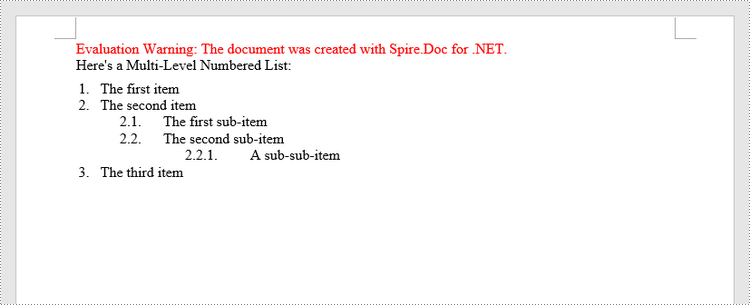
Is it possible to do as in the picture below?
Without adding numbers at the beginning of the lines.

Image

linkomizin
 
Posts: 2
Joined: Tue Mar 12, 2024 8:22 am

Thu Mar 14, 2024 5:45 am

Hello,

Thanks for your reply.
Please try the following solution to see if it meets your needs. If not, please reply to us with more details about your need. Thanks in advance.
Code: Select all
part_1_footerDocument.UpdateTableOfContents();
Regex regex = new Regex("TOC\\w+");
foreach (Section sec in part_1_footerDocument.Sections)
{
    Body body = sec.Body;
    for (int i = 0; i < body.Paragraphs.Count; i++)
    {
        if (regex.IsMatch(body.Paragraphs[i].StyleName))

        {
            body.Paragraphs[i].GetStyle().CharacterFormat.FontName= "Times New Roman";
            body.Paragraphs[i].GetStyle().CharacterFormat.FontSize = 14;
        }
    }
}


Sincerely,
William
E-iceblue support team
User avatar

William.Zhang
 
Posts: 732
Joined: Mon Dec 27, 2021 2:23 am

Return to Spire.Doc