This fild is an PdfTextBoxFieldWidget object on a PDF form.
On my web site, I have an HTML text editor where users can write and aply style on their text, like bold text inside paragraphs, justified paragraphs, numerable lists and all.
I need to edit an PDF Document e put this HTML styled text on this text box field.
The structure of the document has already been definded, and I can't change it.
This structure is a form with some fields and I'm trying to fill this fields like this:
- Code: Select all
            PdfDocument doc = new PdfDocument();
            doc.LoadFromFile(sourceFilePath);

            PdfFormWidget formWidget = doc.Form as PdfFormWidget;

            var relatorio = (PdfTextBoxFieldWidget)formWidget.FieldsWidget["02_Relatório"];
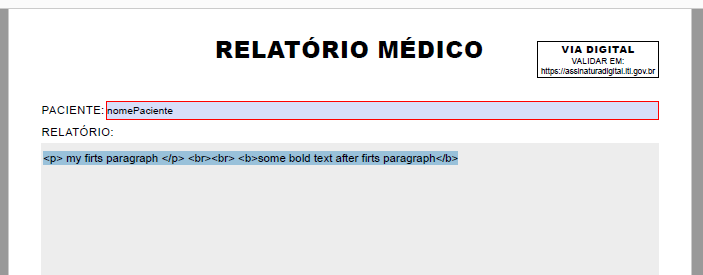
            relatorio.Text = "<p> my firts paragraph </p> <br><br> <b>some bold text after firts paragraph</b>";

            doc.SaveToFile(outputFilePath);
            doc.Close();
This is the result of this code:
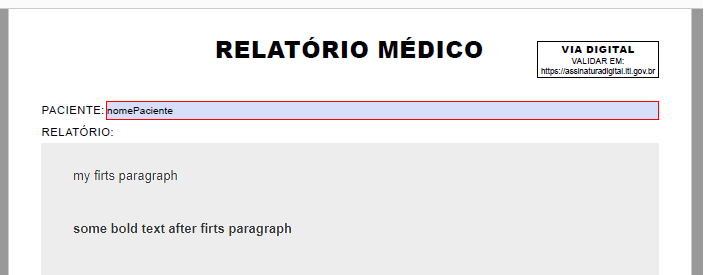
And I was expecting something like this:
Someone can help me ?

