Please, how to draw a Image with defined Clip region in Spire.PDF ?
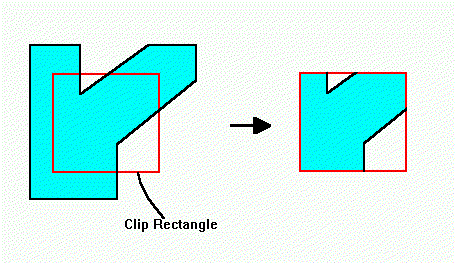
For example I want to draw image with a Rectangle Clip Region defined.
So at the output PDF will stay only (small) piece from inside of a image.
Thank you!

BR,
Vladimir

            PdfDocument doc = new PdfDocument();
            Image image = Image.FromFile(@"……\picture.png");
            PdfImage pdfimage = PdfImage.FromImage(image);

            //Get the image size in point and create a new page with image size.
            PdfUnitConvertor uinit = new PdfUnitConvertor();
            SizeF pageSize = uinit.ConvertFromPixels(image.Size, PdfGraphicsUnit.Point);
            PdfPageBase page = doc.Pages.Add(pageSize, new PdfMargins(0f));

            //Draw the PDF image on the PDF page.
            page.Canvas.DrawImage(pdfimage, new PointF(0, 0));
            doc.SaveToFile("result.pdf");
            PdfDocument doc = new PdfDocument();
            Image image = Image.FromFile(@"……\picture.png");
            PdfImage pdfimage = PdfImage.FromImage(image);

            SizeF pageSize = new SizeF(PdfPageSize.A4);
            PdfPageBase page = doc.Pages.Add(pageSize, new PdfMargins(0f));

            //Set the clip region of the image.
            RectangleF re = new RectangleF(new PointF(100, 100), new SizeF(100, 100));
            page.Canvas.SetClip(re);

            //Draw the image on the Pdf page.
            page.Canvas.DrawImage(pdfimage, new PointF(100, 100));

            //Save to file.
            doc.SaveToFile("result.pdf",FileFormat.PDF);