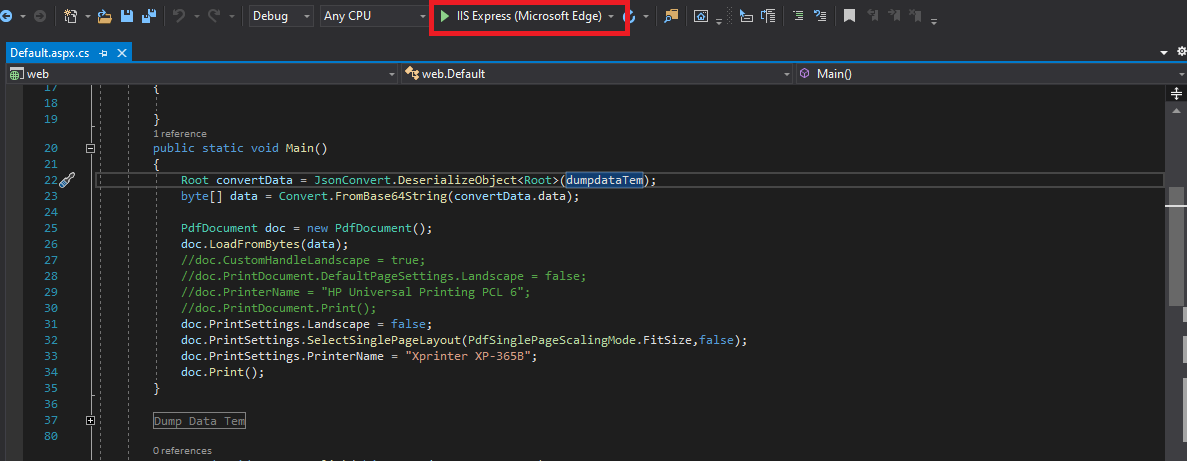
I have an issue with the formatting of PDF documents when printing.
When I have tried to print with Visual Studio with IISExpress and Chrome, it works well.
BUT, when using it on IIS, it is the wrong format, wrong font...
But I don't know why, I have tried to research and found a suggestion about inserting meta tag is "meta http-equiv="X-UA-Compatible" content="IE=edge,chrome=1"", but I don't know how can do that and not sure it will work or not. And this is my line codes below:
- Code: Select all
byte[] Temdata = Convert.FromBase64String(convertData.data);
PdfDocument doc = new PdfDocument();
doc.LoadFromBytes(Temdata);
doc.CustomHandleLandscape = true;
doc.PrintDocument.DefaultPageSettings.Landscape = false;
doc.PrinterName = convertData.localprintername;
doc.PrintDocument.Print();