Free plugin for Spire.PDF for .NET
Local AI Plugin for
PDF Processing in .NET
PDF Processing in .NET
Extend Spire.PDF for .NET with local AI capabilities to translate, redact,
summarize, and review PDF documents. Process sensitive files with a
ready-to-use AI model that runs entirely in your own environment—
without relying on cloud AI services.
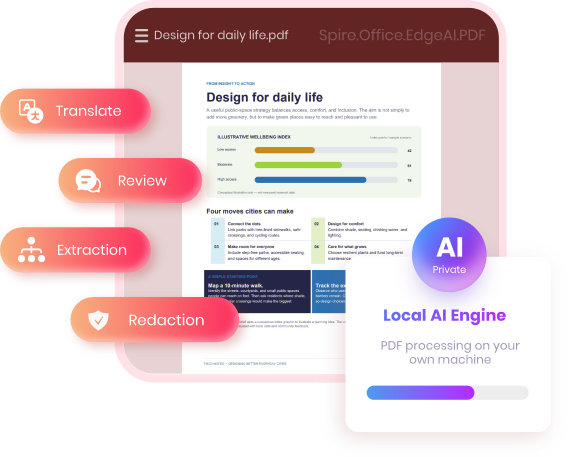
100% local & private
Runs entirely on your own machine — nothing is uploaded.
Ready out of the box
A ready-made model is built in — just install and start processing.
Light on hardware
Runs on an ordinary CPU — no high-end hardware required.
◈ Optional plugin download • Works with commercial & free Spire.PDF for .NET
components • Used through API calls from your .NET code
components • Used through API calls from your .NET code
See Spire.Office.EdgeAI.PDF in Action
Explore PDF translation, redaction, summarization, and compliance review through
input-to-output workflow examples.
input-to-output workflow examples.
Share a Project Report with an International Team
A project report needs to be shared with English-speaking colleagues,
but the original document is written in another language.
but the original document is written in another language.
C# API Example
var pdf = new PdfDocument();
pdf.LoadFromFile("input.pdf");
await pdf.TranslateAsync(TranslateLanguage.English);
pdf.SaveToFile("output.pdf");
Input: English .pdf
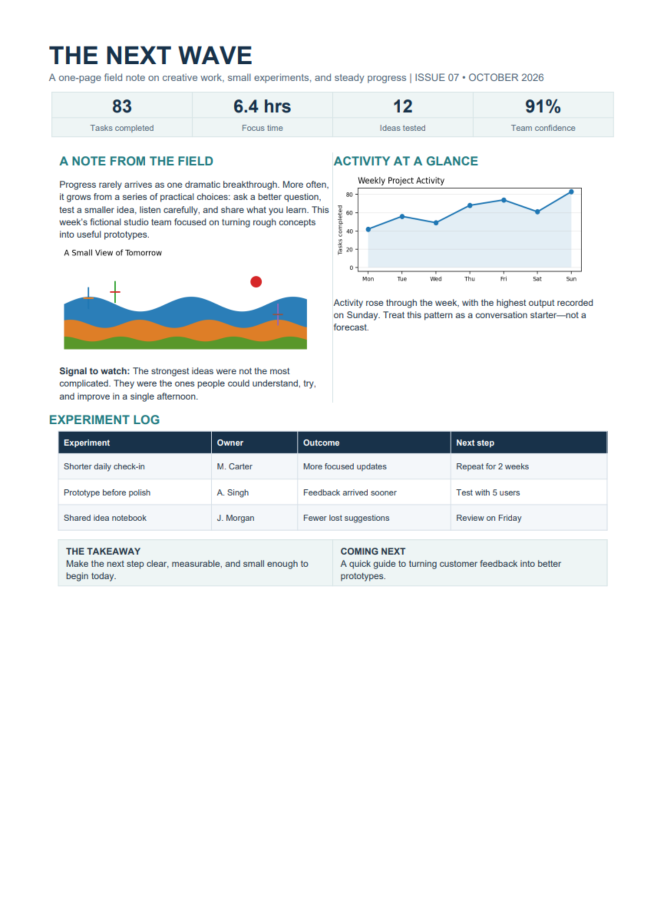
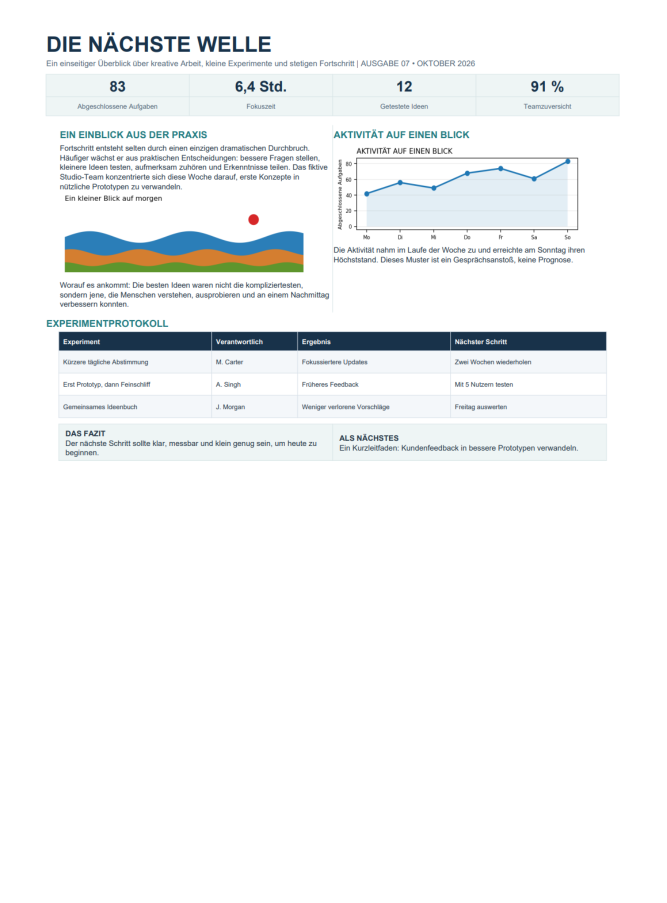
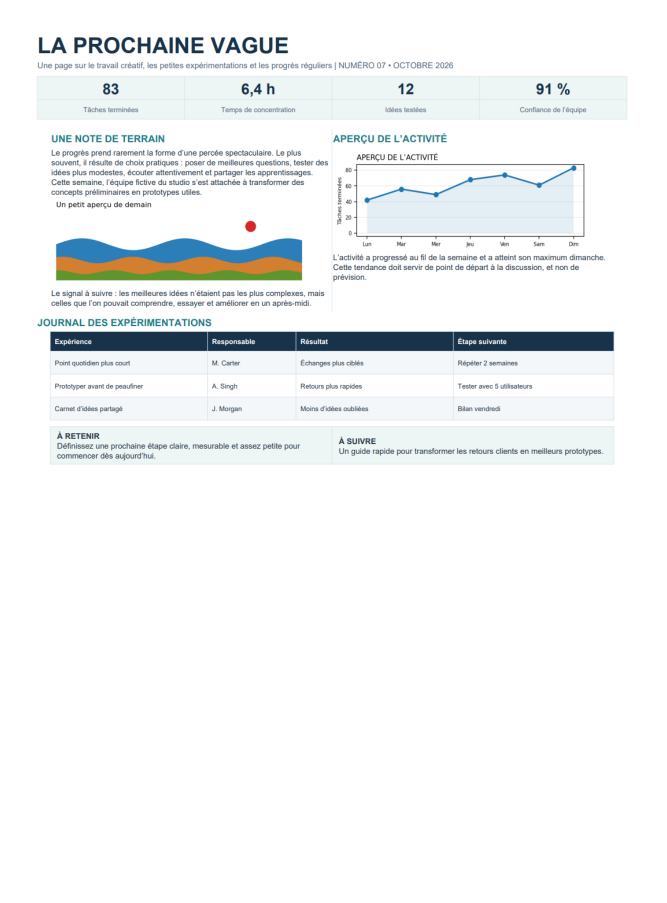
Output: multiple languages


More Than Passing PDF Text to an AI Model
PDF documents contain more than text. Page layouts, formatting, and content
positioning also matter when making changes. Spire.Office.EdgeAI.PDF combines local AI capabilities with
Spire.PDF for .NET to support processing within existing PDF workflows.
positioning also matter when making changes. Spire.Office.EdgeAI.PDF combines local AI capabilities with
Spire.PDF for .NET to support processing within existing PDF workflows.

Process PDF Page
Content
Content
Work with text within PDF pages instead of treating the entire file as plain text alone.

Preserve Layout and Formatting
Help maintain the original structure and visual layout when translating or modifying PDF content.

Integrate with Existing PDF Operations
Use AI features alongside Spire.PDF for .NET document loading, editing, and saving operations.
How Spire.Office.EdgeAI.PDF
works in Spire.PDF for .NET
works in Spire.PDF for .NET
One plugin connects your .NET code to a ready-to-use local AI model and adds AI document
processing to the Spire components you already use — a ready-made model built in, no cloud, no GPU.
processing to the Spire components you already use — a ready-made model built in, no cloud, no GPU.
Your environment
Your .NET app
Spire.PDF loads and manages the PDF document, ready for AI-powered processing.

Local AI plugin
Add the plugin to your .NET project to enable AI-powered PDF processing.
Local AI model
Process PDF documents locally on a standard CPU—no cloud services or dedicated GPU required.
100% local private AI • Ready-made model built in • Runs on a standard CPU
• Nothing leaves your machine
• Nothing leaves your machine
AI Features Built for
PDF Workflows
PDF Workflows
Each one runs locally, inside the
Spire component that already holds your file.
Spire component that already holds your file.

Translate PDFs into
Other Languages
Translate PDF text into other languages while maintaining the existing document structure as far as possible.

Mask Sensitive
Information
Mask sensitive details, such as phone numbers and email addresses, by replacing selected characters with asterisks before sharing PDF documents.

Extract Key
Information
Extract details such as contract parties, payment amounts, and listed items from PDF documents without manually searching through every page.

Review PDFs for
Compliance
Review PDF documents against custom compliance rules to identify potential issues and content that may need further attention.
And more: text expansion and simplification for PDF, topic-based document generation for PDF. New features are added continuously.
100% local private AI for documents
that stay inside your network.
that stay inside your network.
Contracts, financial records and internal reports are among the most sensitive files a business holds —
so everything is processed on your own machine, with nothing sent outside.
so everything is processed on your own machine, with nothing sent outside.
100% Local, No Upload
The model runs on your own machine or server. Document
content is never sent to an outside AI service.
content is never sent to an outside AI service.
Ready-made model, runs on CPU
The plugin ships with a ready-to-use model and runs
well on a standard CPU — no high-end hardware needed.
well on a standard CPU — no high-end hardware needed.
Built for strict environments
Fits enterprise document work with tight information security
rules, where files cannot leave the internal environment.
rules, where files cannot leave the internal environment.
Cloud AI service
Local AI plugin
Where the file
is processed
is processed
On a provider's
servers
servers
On your own
machine or server
machine or server
What leaves
your network
your network
Your document
content
content
Nothing —
no upload at all
no upload at all
Who can see
the content
the content
Depends on the
provider's terms
provider's terms
Only you —
100% local
100% local
What you need
to run it
to run it
Cloud subscription
& GPU
infrastructure
& GPU
infrastructure
A standard CPU is
enough —
no high-end
hardware needed
enough —
no high-end
hardware needed
Add EdgeAI to
Your Existing PDF Toolkit
Spire.Office.EdgeAI.PDF adds local AI functionality to applications
built with Spire.PDF for
.NET. It is an extension of the PDF library,
not a standalone PDF processing tool.
1
No separate plugin license purchase
The local AI add-on is available without buying an additional EdgeAI license.
2
Spire.PDF library dependency
Add Spire.PDF for .NET to your .NET application to use the EdgeAI plugin.
C# example: Translate a PDF
using Spire.Office.EdgeAI;
using Spire.Office.EdgeAI.Pdf;
using Spire.Pdf;

var pdf = new PdfDocument();
pdf.LoadFromFile("input.pdf");
await pdf.TranslateAsync(TranslateLanguage.English);
pdf.SaveToFile("output.pdf");
Put AI to work
on documents that
can't leave.
The local AI plugin is free of charge and downloads separately
from Spire.PDF for .NET. Planning an enterprise deployment?
Talk to us.


