A PDF document can carry attachments — images, spreadsheets, supplementary notes — and distribute them together with the document. This "document package" form is common in contracts, quotations, and reports. Attachments in a PDF exist in two forms: document attachments, which are attached to the whole document and listed together in the reader's "Attachments" panel, and annotation attachments, which appear as paperclip icons on a page and open the attached file when double-clicked. When we receive a PDF with attachments, we often need to pull the attachments out for separate use, and these two kinds of attachments are read in different ways, requiring different APIs.
Spire.PDF for JavaScript processes PDF documents directly in the browser based on WebAssembly, managing input and output files through a virtual file system (VFS) with no backend service required. The two kinds of attachments are read through different entry points, but both yield the file name and content through FileName and Data: document attachments use PdfDocument.Attachments with PdfEmbeddedFileSpecification, while annotation attachments require visiting PdfPage.Annotations page by page and filtering out PdfAttachmentAnnotationWidget.
This article covers two core features:
For installation and project setup, see Integrate Spire.PDF for JavaScript in a React Project. The examples below assume that Spire.PDF is installed and that the WebAssembly module has been initialized.
Related Knowledge
Attachments in a PDF file come in two kinds: document-level attachments and annotation-level attachments. The table below explains the differences between them and how each is represented in Spire.PDF for JavaScript.
| Attachment Type | Representation | Definition |
|---|---|---|
| Document attachment | PdfDocument.Attachments, read through PdfEmbeddedFileSpecification |
An attachment added at the document level is not displayed on the PDF page, but can be viewed in the "Attachments" panel of a PDF reader. |
| Annotation attachment | PdfAttachmentAnnotationWidget |
A file attached as an annotation can be found on the page or in the "Attachments" panel. An annotation attachment appears as a paperclip icon on the page; you can double-click the icon to open the file while reading the document. |
Extract Attachments from a PDF Document
PdfDocument.Attachments returns all document-level attachments. Iterate the collection, and after wrapping each attachment with new PdfEmbeddedFileSpecification(attachment.H), write the attachment content into the VFS through its FileName and Data. Once everything has been written out, use JSZip to package the files into a single zip file for download. This approach suits saving or migrating all attachments of a document at once.
import JSZip from 'jszip';

function App() {
  const extractDocumentAttachments = async () => {
    // Get the Spire.PDF WASM module
    const pdfModule = window.wasmModule?.spirepdf;

    // Check whether the module is ready
    if (!pdfModule) {
      alert('Spire.PDF is not ready yet');
      return;
    }

    // Load the PDF file to be processed into the VFS
    const inputFileName = 'SampleWithAttachments.pdf';
    await window.spire.FetchFileToVFS(inputFileName, "", `${process.env.PUBLIC_URL}/data/`);

    // Create a PdfDocument object and load the PDF document
    let doc = new pdfModule.PdfDocument();
    doc.LoadFromFile(inputFileName);

    // Get the attachment collection of the document
    let collection = doc.Attachments;

    // Create a temporary directory in the VFS to hold the extracted attachments
    const outputDirectoryName = 'attachmentFiles/';
    window.dotnetRuntime.Module.FS.mkdirTree(outputDirectoryName);

    // Take out each attachment and write it into the temporary directory under its own file name
    for (let i = 0; i < collection.Count; i++) {
      let attachment = collection.get_Item(i);

      // Wrap the underlying handle H with PdfEmbeddedFileSpecification to read the attachment content
      let embeddedFileSpecification = new pdfModule.PdfEmbeddedFileSpecification(attachment.H);
      window.dotnetRuntime.Module.FS.writeFile(
        outputDirectoryName + embeddedFileSpecification.FileName,
        embeddedFileSpecification.Data
      );
    }

    // Release the document resources
    doc.Close();

    // Package all attachments in the temporary directory into a single zip file
    const zip = new JSZip();
    let items = await window.dotnetRuntime.Module.FS.readdir(outputDirectoryName);
    items = items.filter((item) => item !== '.' && item !== '..');
    for (const item of items) {
      const fileData = window.dotnetRuntime.Module.FS.readFile(outputDirectoryName + item);
      zip.file(item, fileData);
    }
    const zipBlob = await zip.generateAsync({ type: 'blob' });

    // Trigger the download
    const outputFileName = 'DocumentAttachments.zip';
    const url = URL.createObjectURL(zipBlob);
    const a = document.createElement('a');
    a.href = url;
    a.download = outputFileName;
    a.click();
    URL.revokeObjectURL(url);
  };

  return (
    <div style={{ textAlign: 'center', height: '300px' }}>
      <h1>Extract Attachments from a PDF Document</h1>
      <button onClick={extractDocumentAttachments}>
        Start Extraction
      </button>
    </div>
  );
}

export default App;
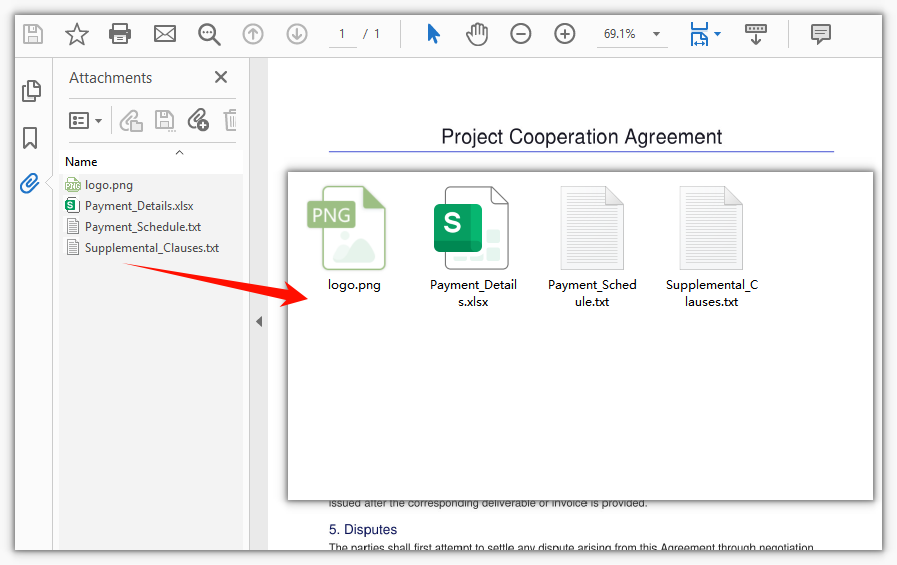
The zip file packaged from all document-level attachments after batch export
Extract Attachments from PDF Annotations
Annotation attachments are read differently from document attachments: they belong to page annotations and cannot be obtained through doc.Attachments. You first iterate doc.Pages to visit PdfPage.Annotations page by page, then use instanceof to test whether each annotation is a PdfAttachmentAnnotationWidget (an attachment annotation). For the matched annotations, FileName and Data are the name and content of the attached file. Because attachment annotations may be spread across different pages, the outer loop must cover every page to extract all annotation attachments in the document.
import JSZip from 'jszip';

function App() {
  const extractAnnotationAttachments = async () => {
    // Get the Spire.PDF WASM module
    const pdfModule = window.wasmModule?.spirepdf;

    // Check whether the module is ready
    if (!pdfModule) {
      alert('Spire.PDF is not ready yet');
      return;
    }

    // Load the PDF file to be processed into the VFS
    const inputFileName = 'AnnotationAttachmentSample.pdf';
    await window.spire.FetchFileToVFS(inputFileName, "", `${process.env.PUBLIC_URL}/data/`);

    // Create a PdfDocument object and load the PDF document
    let doc = new pdfModule.PdfDocument();
    doc.LoadFromFile(inputFileName);

    // Create a temporary directory in the VFS to hold the extracted attachments
    const outputDirectoryName = 'annotationFiles/';
    window.dotnetRuntime.Module.FS.mkdirTree(outputDirectoryName);

    // Iterate page by page and extract attachments from the annotations
    for (let p = 0; p < doc.Pages.Count; p++) {
      let page = doc.Pages.get_Item(p);

      // Get the annotation collection of the current page
      let annotations = page.Annotations;

      for (let i = 0; i < annotations.Count; i++) {
        let annotation = annotations.get_Item(i);

        // Handle only attachment annotations; skip other annotations (text, link, and so on)
        if (annotation instanceof pdfModule.PdfAttachmentAnnotationWidget) {
          // FileName is the attached file name, and Data is the binary content of the attachment
          window.dotnetRuntime.Module.FS.writeFile(
            outputDirectoryName + annotation.FileName,
            annotation.Data
          );
        }
      }
    }

    // Release the document resources
    doc.Close();

    // Package all attachments in the temporary directory into a single zip file
    const zip = new JSZip();
    let items = await window.dotnetRuntime.Module.FS.readdir(outputDirectoryName);
    items = items.filter((item) => item !== '.' && item !== '..');
    for (const item of items) {
      const fileData = window.dotnetRuntime.Module.FS.readFile(outputDirectoryName + item);
      zip.file(item, fileData);
    }
    const zipBlob = await zip.generateAsync({ type: 'blob' });

    // Trigger the download
    const outputFileName = 'AnnotationAttachments.zip';
    const url = URL.createObjectURL(zipBlob);
    const a = document.createElement('a');
    a.href = url;
    a.download = outputFileName;
    a.click();
    URL.revokeObjectURL(url);
  };

  return (
    <div style={{ textAlign: 'center', height: '300px' }}>
      <h1>Extract Attachments from PDF Annotations</h1>
      <button onClick={extractAnnotationAttachments}>
        Start Extraction
      </button>
    </div>
  );
}

export default App;
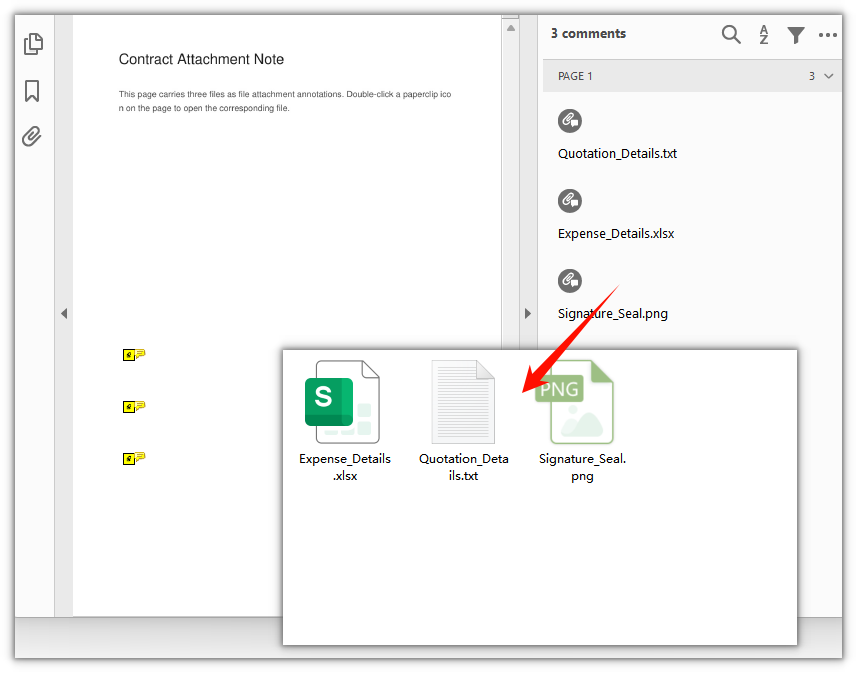
The zip file packaged from the attachments extracted from page annotations
FAQ
Why don't the paperclip attachments visible on the page show up in doc.Attachments
Cause: Attachments in a PDF fall into two levels, document-level and annotation-level. PdfDocument.Attachments returns only document-level attachments (listed in the reader's "Attachments" panel), whereas the paperclip icons on a page are annotation-level attachments — part of the page annotations — and never appear in the Attachments collection.
Solution: To extract annotation attachments, visit the page annotation collection page by page and filter for attachment annotations by type:
for (let p = 0; p < doc.Pages.Count; p++) {
  let annotations = doc.Pages.get_Item(p).Annotations;
  for (let i = 0; i < annotations.Count; i++) {
    if (annotations.get_Item(i) instanceof pdfModule.PdfAttachmentAnnotationWidget) {
      // Handle the attachment annotation
    }
  }
}
Why must the type be checked when iterating page.Annotations
Cause: A page can hold many kinds of annotations at the same time, such as text annotations, link annotations, and stamp annotations, and their properties differ. Only the attachment annotation PdfAttachmentAnnotationWidget provides FileName and Data; reading these two properties on an arbitrary annotation is not reliable.
Solution: Use instanceof PdfAttachmentAnnotationWidget to test the type first, then read the properties:
let annotation = annotations.get_Item(i);
if (annotation instanceof pdfModule.PdfAttachmentAnnotationWidget) {
  let fileName = annotation.FileName;
  let data = annotation.Data;
}
Why only some of the annotation attachments are extracted
Cause: Annotation attachments are attached to a specific page, and different pages may each carry some. If you visit only doc.Pages.get_Item(0), attachment annotations on the remaining pages are missed.
Solution: Iterate doc.Pages in an outer loop and examine the annotation collection of every page:
for (let p = 0; p < doc.Pages.Count; p++) {
  let annotations = doc.Pages.get_Item(p).Annotations;
  // Examine the annotations of this page one by one
}
Get a Free License
If you want to remove the evaluation message from the result documents or get rid of the feature limitations, please contact sales to obtain a temporary license valid for 30 days.
